
Amazon Private Data - Advertising Account
Connect your Amazon Advertising account to DataHawk to automatically collect and centralize your advertising data for structured reporting and analysis.
Connecting your Amazon Advertising account allows you to automatically collect and centralize your advertising data in DataHawk. Enable structured reporting and analysis, data storage to prevent data loss, and consolidation with other metrics such as financial and search data.
Your Amazon Advertising Account
Whether you are a Seller, a Vendor, or an Agency, you already have access to Amazon advertising account. This is where your campaigns (Sponsored Products, Sponsored Brands, Sponsored Display) are created and managed.
DataHawk will be taking care of collecting data through API, clean and normalize the data, aggregate them, and deliver them to you. You can have access to the raw data as well as aggregated data in dashboards.
DataHawk Connection Capabilities
What Data Does DataHawk Collect?
When you connect your Amazon Advertising account, DataHawk automatically:
- Collects your advertising data via Amazon's API
- Cleans and organizes the data
- Stores it securely (so you don't lose historical data - Amazon gives only the latest 60 days)
- Makes it available in dashboards and raw datasets
Once you connect your Amazon Advertising account, DataHawk will have access to all the data available in the account. It means that you can not choose to give partial access to DataHawk on certain Seller/Vendor account or profile/marketplaces.
Data Coverage
Data is structured across multiple levels:
- Campaign-level
- Ad group-level
- Keyword / targeting-level
- ASIN-level (when available)
Metrics resulting from integrating an Amazon Advertising account can be accessed both in a raw format and ready-to-use reports and dashboards.
Note that for certain type of data, DataHawk might be limited by what Amazon Ads' API is providing.
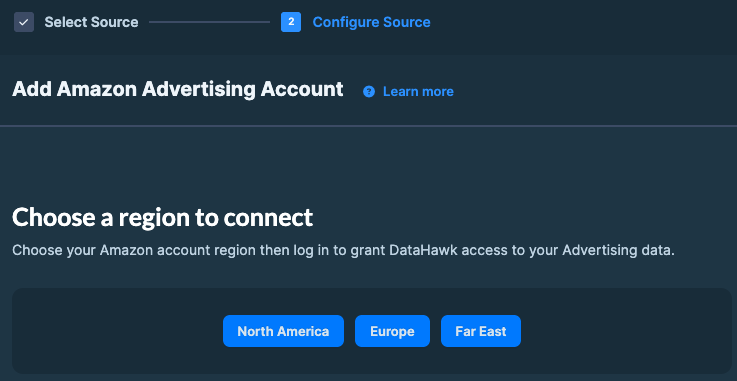
Supported regions
DataHawk integration works for Advertisers registered in all Amazon regions:
- North America: US, Canada, Mexico, and Brazil.
- Europe: UK, Germany, Italy, France, Spain, Netherlands, UAE, Sweden, India, and Poland.
- Far East: Japan, Singapore, and Australia.
Note: Sweden, Poland, Ireland, and Belgium marketplaces are not supported for Sponsored Ads data due to availability on Amazon's API.
Automated Data Sync & Backup
Once you connect your Advertising account to DataHawk, we immediately retrieve 60 days of historical data. This is the maximum historical window allowed by Amazon Ads API.
We then securely store and back up all your data everyday, enabling more comprehensive reporting with extended historical context.
Refresh Frequency
Data is updated daily. There may be a delay in updating the data from the last 24 hours.
DataHawk Limitations
- Data for the last 48h may be incomplete
- Some metrics are limited by Amazon API
- Initial historical depth is limited by Amazon API
How to Connect your Amazon Advertising Accounts
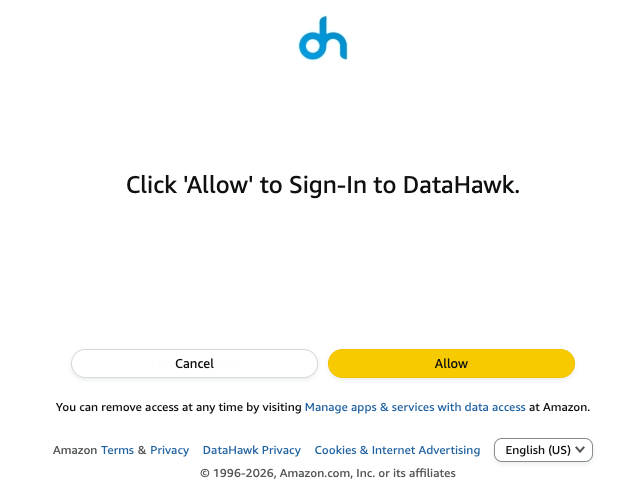
Before you start, ensure you have the necessary account permissions. If not, share the login link with someone who does.
Go to the Sources Page
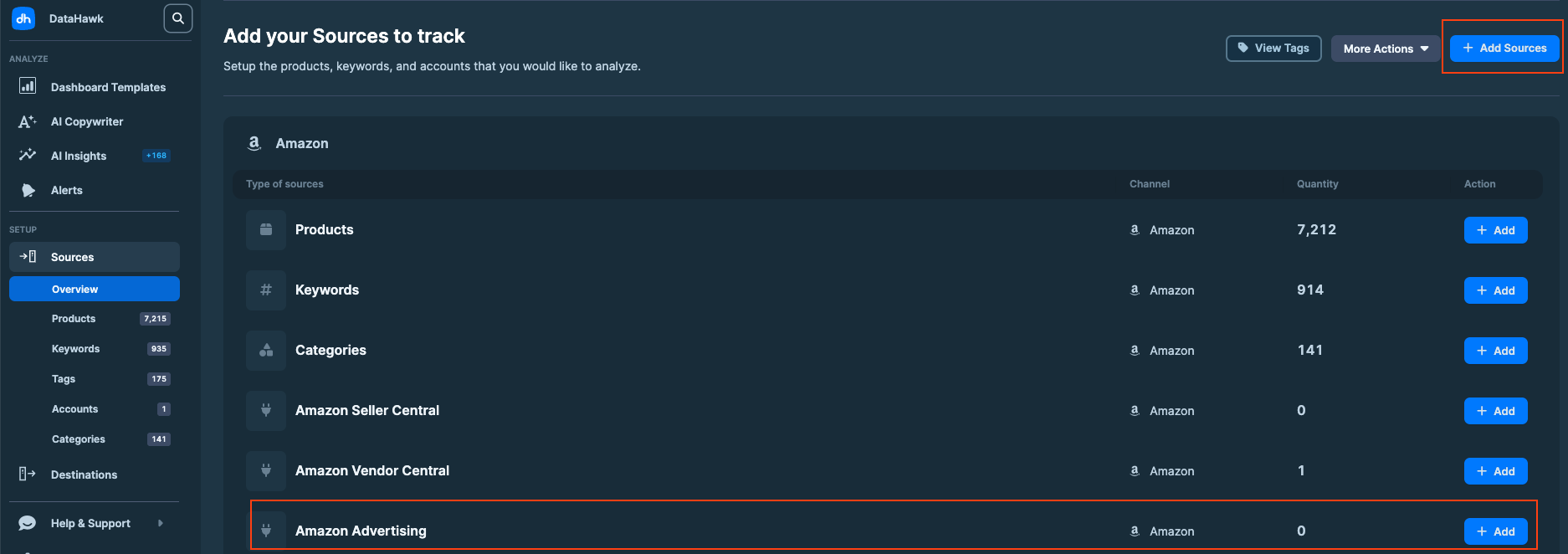
On DataHawk App, go to the Sources Page.
Add Sources
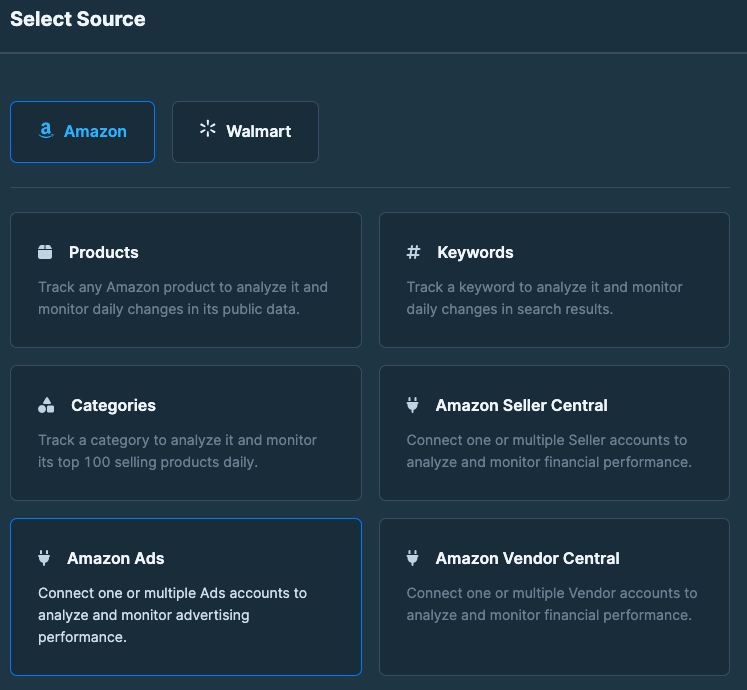
Click + Add Sources on the top right corner. Or + Add on the Amazon Advertising line (jump to step 4).
Check your connection
Once your account is connected, you can verify everything is properly linked directly from the Sources page.
Open the Sources page
Go to the Sources page and find your Amazon Advertising account in the accounts list.
Open the account details
Click the account name to open a detail view with:
- Account type (Seller, Vendor, Agency, or DSP)
- Account ID
- Marketplace
- Advertiser name
- Connected by: the user who authorized the connection
Confirm your DSP accounts appear
If you advertise on Amazon DSP, your DSP accounts are listed alongside your Sponsored Ads accounts. Each one also shows its DSP Advertiser ID, plus the advertising account it's linked to.
DSP performance data isn't filtered by marketplace, since DSP campaigns aren't marketplace-specific. See Amazon Advertising Data for details.
If an account you expect to see is missing, or its details look wrong, check the troubleshooting cards above, or contact us.
Outputs
Raw data
Raw data can be accessed via destinations and can notably be used to build dashboards on your favorite BI solution.
Your DataHawk-powered Snowflake database contains multiple tables about advertising data. These tables contain a very exhaustive list of data points as columns and are organized into what is called a schema.
Dashboards
DataHawk provides ready-to-use dashboards and reports on Power BI and Looker Studio.
Go on our complete guide on Advertising Dashboards:
- for Looker Studio: Perfect for a high-level overview
- for Power BI: Great for a deep-dive and investigation on performance
Troubleshooting on common issues
No data after connecting DSP account
After connecting your Amazon DSP account to DataHawk, no data is displayed.
Restrict access to specific DSP Profiles
When connecting an Amazon DSP account to DataHawk, all profiles linked to that DSP account become accessible. But you want to restrict access to specific profiles only.
Ads data in wrong account type
You may spot some data discrepancies in your advertising dashboard vs Seller Analytics or Vendor Analytics dashboards: data appears under a different account type than expected.
Amazon Private Data - Vendor Account
Connect your Amazon Vendor Central account to DataHawk to automatically collect sales, inventory, traffic, and margin data.
Upload Amazon Product Expenses (COGS)
Add Amazon product expenses as a Source to make daily unit costs available in your database and profit analyses.