
Amazon Private Data - Vendor Account
Connect your Amazon Vendor Central account to DataHawk to automatically collect sales, inventory, traffic, and margin data.
Amazon Vendor Central is an invitation-only platform where vendors sell products wholesale to Amazon (the 1P model). Amazon then resells those products to consumers at prices Amazon controls. Connect your account to DataHawk to automatically collect sales, product margins, inventory, and traffic data: With no limit on the number of Vendor Central accounts you can link.
DataHawk Connection Capabilities
Supported regions
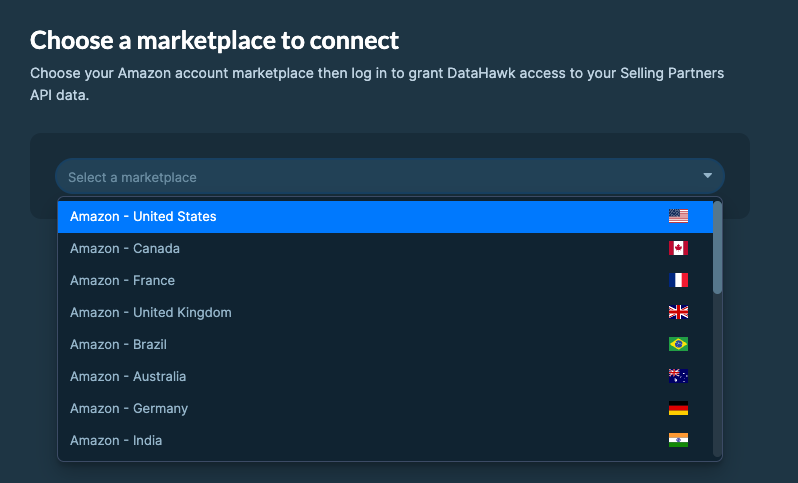
DataHawk integration works for Vendors registered in all Amazon regions:
- North America: US, Canada, Mexico, and Brazil.
- Europe: UK, Germany, Italy, France, Spain, Netherlands, UAE, Sweden, India, and Poland.
- Far East: Japan, Singapore, and Australia.
Data Coverage
The list below highlights a very high-level summary of the currently available datasets on any destination.
All of the data listed below is available at both Account-level and ASIN-level.
- Vendor's Revenue (Referred to as "Shipped COGS," as this is COGS from Amazon's perspective)
- Amazon's Revenue (Referred to as "Shipped Sales" or "Ordered Sales," as these are sales from Amazon's perspective)
- Units Sold
- Returns
- Product Margins
- Product Page Views
- Inventory
- Demand Forecasts
Historical data storage
Once you connect your Vendor Central account to DataHawk, we immediately retrieve 3 years of historical data. We then securely store and back up all your data everyday, enabling more comprehensive reporting with extended historical context.
Refresh Frequency & Data Delay
Data is updated daily.
For Vendor Central data, there is a 72-hour delay between the data available and the day the data is retrieved/refreshed, due to limitations with Amazon's API.
How to Connect your Amazon Vendor Accounts
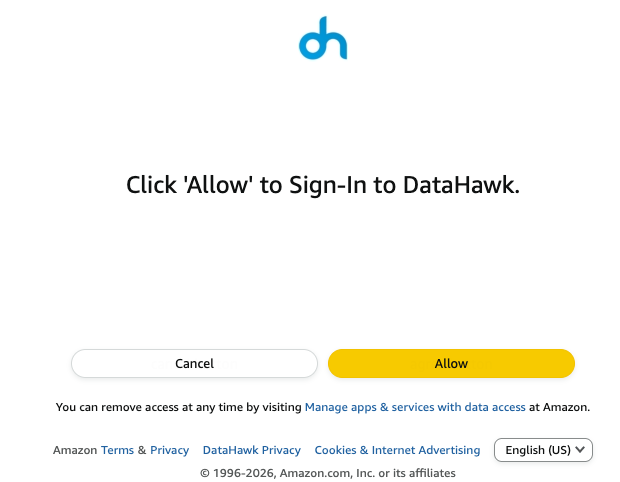
Before you start, ensure you have the necessary account permissions. If not, share the login link with someone who does.
Go to the Sources Page
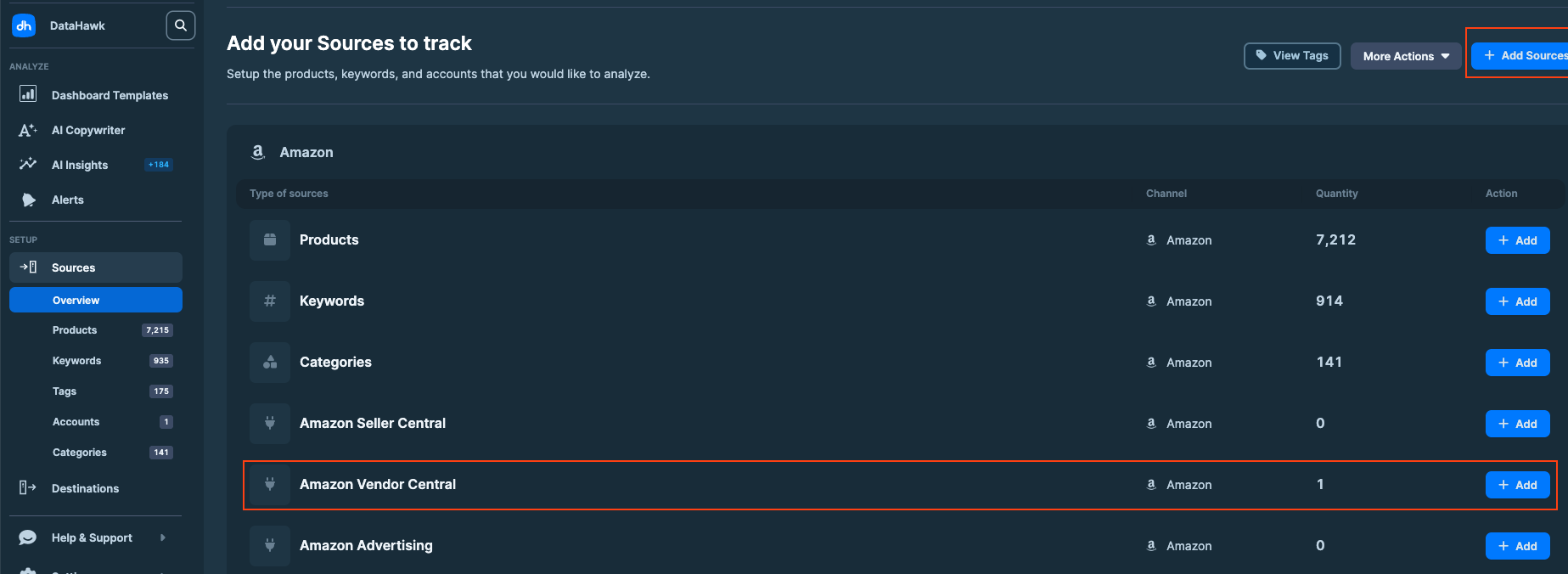
On DataHawk App, go to the Sources Page.
Add Sources
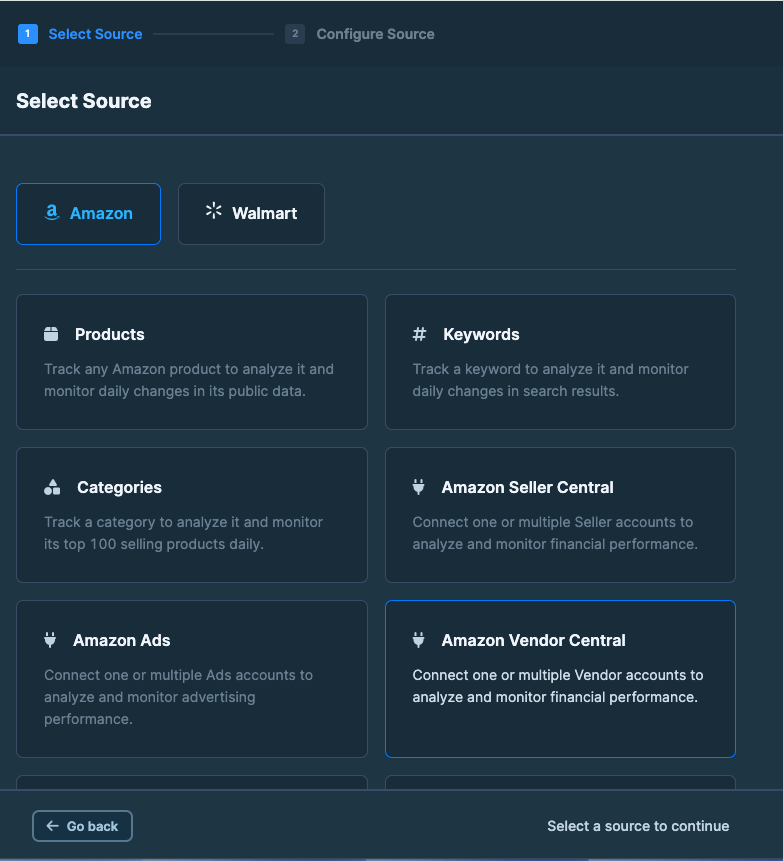
Click + Add Sources on the top right corner. Or + Add on the Amazon Vendor Central line (jump to step 4).
DataHawk Limitations
- Data for the last 48h may be incomplete
- Due to Amazon's API's limitations, datasets contain data until 72 hours before the refresh.
- Some metrics are limited by Amazon API
- Initial historical depth is limited by Amazon API
- Due to Amazon's API limitations, we have limited access to data when your marketplace is sourcing and not manufacturing. Learn more.
Outputs
Raw data
Raw data can be accessed via destinations and can notably be used to build dashboards on your favorite BI solution.
When you set up a destination, DataHawk provides you with a hosted database containing your Sources data. These tables contain a very exhaustive list of data points as columns and are organized into what are called schemas.
All data is available under the SELLING_PARTNER schema.
Most of these tables have several variations available based on the Distributor View chosen. Moreover, most of these tables have a column indicating the Selling Program corresponding to each data point. The following are definitions of the different distributor views and selling programs available:
- Distributor Views
- Manufacturing - Includes all product's under the Vendor's brand, including those not sourced directly from their inventory.
- Sourcing - Includes only products sourced directly from the Vendor's inventory.
- Selling Program
- Retail - The default selling program applicable to the vast majority of Vendor sales.
- Fresh - Refers to Amazon Fresh, Amazon's online food shopping home delivery service.
- Business - Refers to Amazon Business, which is specialized towards enterprises as buyers.
To see an exhaustive view of all columns within these tables, refer to our Table & Column Referential.
| Schema | Table | About |
|---|---|---|
| SELLING_PARTNER | VENDOR_SALES_{VIEW}_SRC | Sales data including Vendor's Revenue (Shipped COGS), Amazon's Revenue (Sales), Units Sold, and Returns. |
| SELLING_PARTNER | VENDOR_NET_PURE_PRODUCT_MARGIN_SRC | Net Pure Margins per Product |
| SELLING_PARTNER | VENDOR_TRAFFIC_SRC | Daily Page Views per Product |
| SELLING_PARTNER | VENDOR_INVENTORY_{VIEW}_SRC | In-Depth Daily Inventory Breakdown |
| SELLING_PARTNER | VENDOR_FORECASTING_SRC | Demand forecasts per ASIN for the next 48 weeks, delivered every Wednesday, with Mean, P70, P80, and P90 units. Only the latest forecast is kept. See Amazon Vendor Demand Forecasts. |
Dashboards
DataHawk provides ready-to-use dashboards and reports on Power BI and Looker Studio.
Go on our complete guide on Advertising Dashboards:
- for Looker Studio: Perfect for a high-level overview
- for Power BI: Great for a deep-dive and investigation on performance
Coming Soon
Vendor Central Support at DataHawk is still in development. New capabilities will be released in the near future, such as more refined data, including added layers of intelligence in the context of the Vendor's full Amazon ecosystem.
Amazon Private Data - Seller Account
Connect your Amazon Seller Central account to DataHawk to automatically collect financial, traffic, and inventory data.
Amazon Private Data - Advertising Account
Connect your Amazon Advertising account to DataHawk to automatically collect and centralize your advertising data for structured reporting and analysis.