
Optimize your first listing
A 5-minute walkthrough to improve an Amazon listing with AI Copywriter, from picking the product to publishing the change.
This walkthrough takes you from opening AI Copywriter to publishing your first optimized listing in Seller Central or Vendor Central. Plan for about five minutes, plus whatever time you'd usually spend reviewing copy before pushing it live.
Before you start
Make sure you've already:
- Connected your Amazon Seller or Vendor account
- Added the product you want to optimize to your tracked products
Walkthrough
Open AI Copywriter
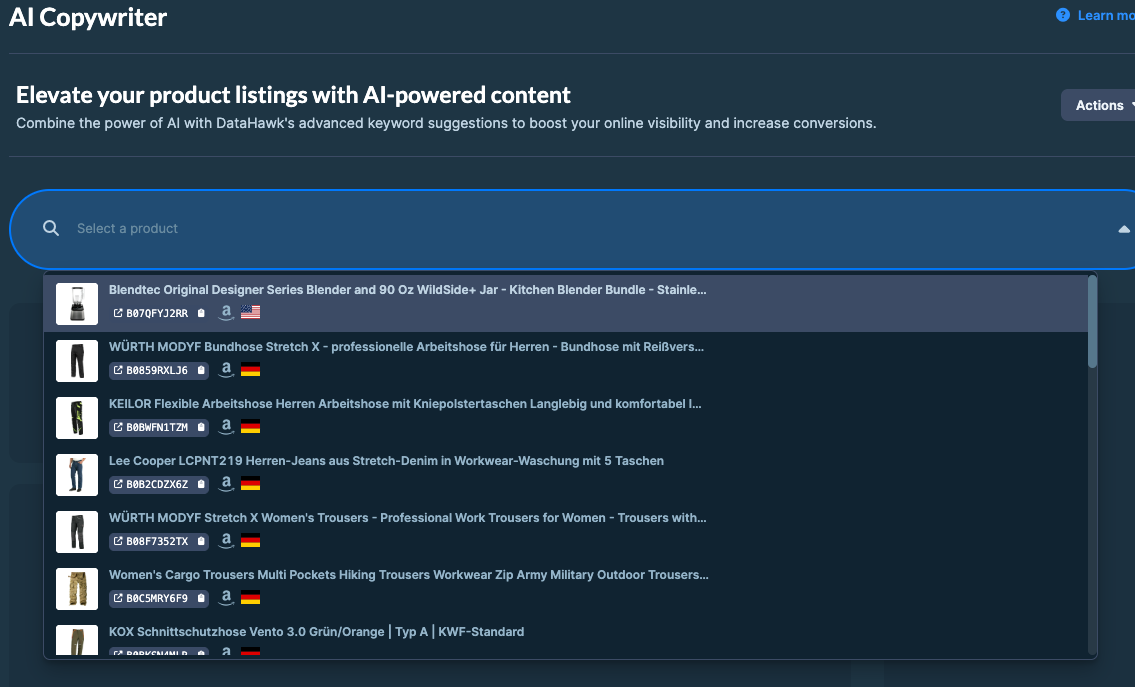
From the left navigation, go to Apps → AI Copywriter. You'll see a product picker. Browse or search for the listing you want to optimize.
Review the AI suggestions
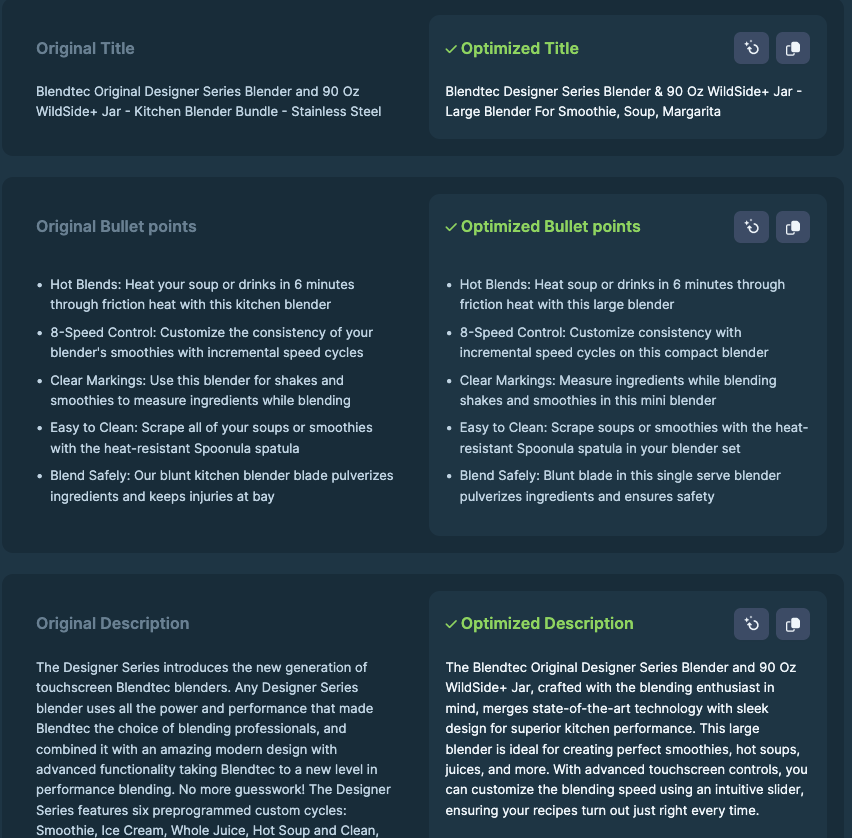
AI Copywriter shows your current listing alongside an optimized version. You'll see suggestions for:
- Title: Restructured to include high-potential keywords while staying within Amazon's character limits
- Bullet points: Rewritten for clarity and search relevance
- Description: Rewritten for readability and keyword coverage
The right-hand panel shows:
- Curated keywords: High-potential terms ranked by search volume
- Keyword occurrences: How often each appears in the original vs. Optimized version
- Estimated traffic increase: Based on the search volume of new keywords added
Compare and tweak
Read both versions side by side. AI suggestions are a starting point; not a finished product.
Don't like a phrase? Click Refresh to generate a new version. Each refresh gives you a different angle.
You can also edit the suggestion directly in DataHawk before copying it out.
Publish to Amazon
DataHawk doesn't push changes to Amazon for you. Instead:
- Copy the optimized title, bullets, or description.
- Paste them into your Seller Central or Vendor Central listing.
- Save the listing in Amazon.
It usually takes Amazon 24–48 hours to apply listing changes.
Tips
- A/B test before rolling out broadly. If you're not sure a change will help, try it on one ASIN first.
- Refresh suggestions if the first batch feels off. AI output varies; a second pass often catches better phrasing.
- Don't lose your originals. Save the existing copy somewhere first so you can revert if performance drops.