
Writable Database Service
Add write access to a separate database alongside your DataHawk read-only database to bring in your own data, build custom pipelines, and create combined views.
By default, your DataHawk database is read-only. DataHawk writes your data into it, and you query it. The Writable Database Service adds write access to a separate database, allowing you to bring in your own data, build custom pipelines, and create combined views that blend DataHawk data with your own.
This is an advanced, paid service. It requires a Professional Services engagement.
Who is this for?
The Writable Database Service is designed for teams that want to go beyond querying DataHawk data and need to enrich, transform, or extend it with their own data sources.
Common use cases include:
- Blending DataHawk data with internal data: For example, combining DataHawk sales estimates with your own ERP or inventory system data
- Custom KPI tables: Pre-computing metrics that aren't in DataHawk natively and storing them in the database
- ETL pipelines: Loading data from third-party sources into your DataHawk database for centralized reporting
- Custom security controls: Implementing row-level access or custom views for different teams or clients
- Agency or white-label setups: Creating client-specific views on top of shared DataHawk data
How it works
DataHawk creates a separate writable database alongside your existing read-only DataHawk database. You receive credentials for both:
- The read-only database: Managed entirely by DataHawk, contains all your collected DataHawk data
- The writable database: Yours to use, where you can add your own tables, views, and pipelines
You can create combined views that join data from both databases to build custom reports.
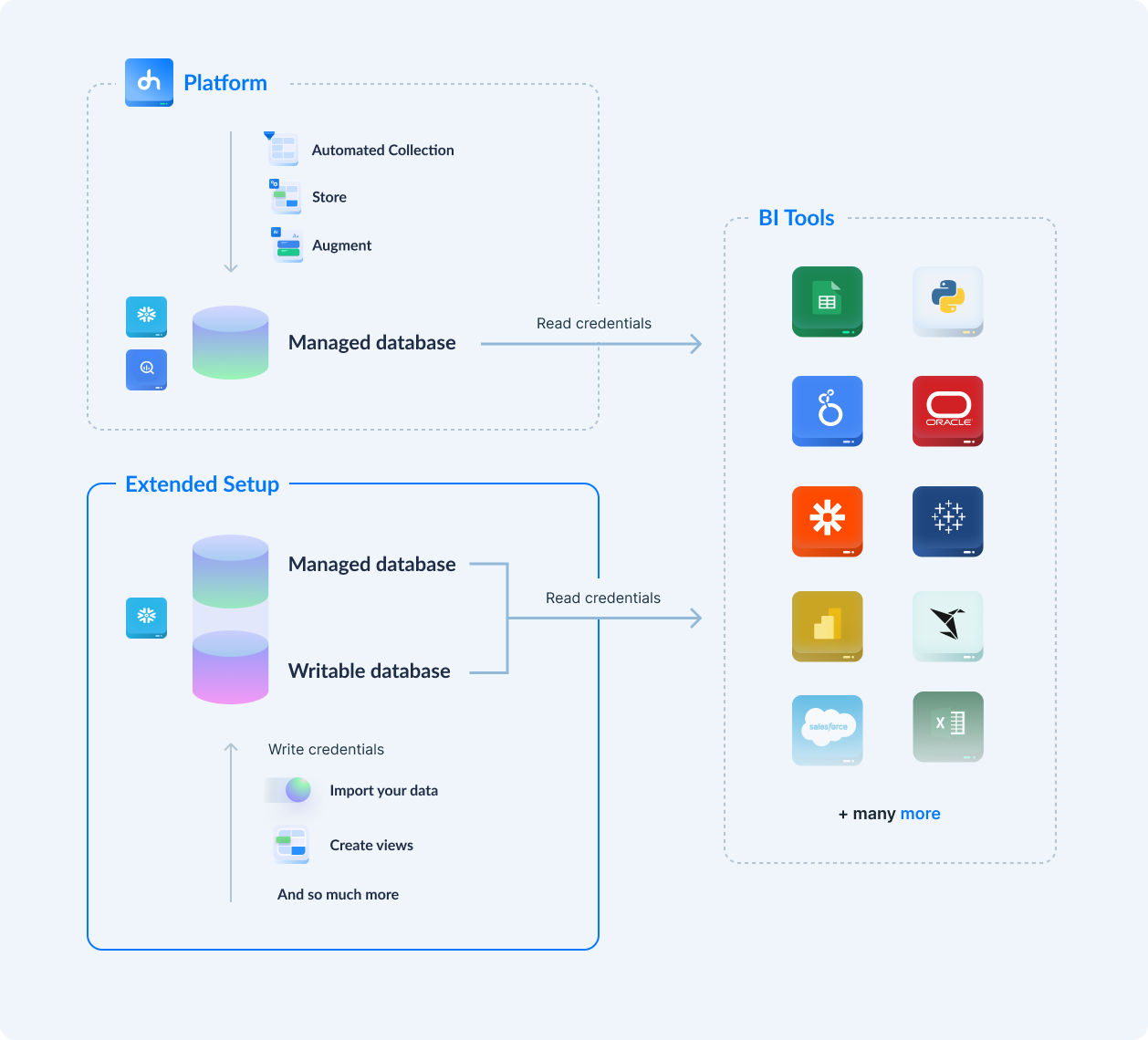
What you can do with write access
| Capability | Description |
|---|---|
| Add custom tables and views | Store your own data alongside DataHawk data |
| Insert, update, delete | Full DML operations on your writable database |
| Build ETL pipelines | Automate data flows from external sources |
| Create combined views | Join DataHawk read-only data with your own tables |
| Transform and clean data | Apply custom transformations before reporting |
| Implement custom security | Row-level security, custom roles and access rules |
Responsibilities
| DataHawk | You | |
|---|---|---|
| Read-only database | Manages fully (data, performance, maintenance) | Query only |
| Writable database | Creates and provides credentials | Own and maintain (performance, security, pipelines) |
Getting started
Write access requires a Professional Services engagement with custom pricing.
To get started, contact your DataHawk representative or reach out via the DataHawk app.