
Set up DataHawk MCP
How to connect DataHawk MCP to AI clients like Claude, ChatGPT, n8n, Make, and more.
Setting up DataHawk MCP means adding one link, the DataHawk MCP endpoint, to your AI tool, then signing in with your DataHawk account. Once connected, your AI can answer questions about your Amazon and Walmart data. It works with chat assistants, code editors, and automation platforms.
Not sure which to pick? Most people start with Claude or ChatGPT. They're the fastest to set up (under 2 minutes) and the best fit for everyday questions. Use a code editor or app builder if you're building apps, or n8n or Make to schedule automations.
Before you start
Check that your plan includes MCP
DataHawk MCP is in beta. It's enabled by default on active DataHawk workspaces. Not sure your plan includes it? Ask your Account Manager or email [email protected].
Copy the DataHawk MCP endpoint
You'll paste this link into your AI tool in the next section:
https://mcp.datahawk.co/mcpCheck your data sources
MCP only returns data from the accounts you've connected in DataHawk. Before you start, check that these are connected and syncing on the Sources page:
- Amazon: your Seller Central or Vendor Central account, your Advertising account, and (optional) DSP.
- Walmart: your Walmart Marketplace and Walmart Connect accounts.
Fix anything marked as disconnected first. Otherwise MCP returns empty results for that source. MCP doesn't cover every Walmart dataset yet: see Walmart coverage.
Connect your AI tool
Chat with your data
For more detail, see Anthropic's custom connector guide.
On a Claude Team or Enterprise plan, your Claude admin adds the connector for your organization.
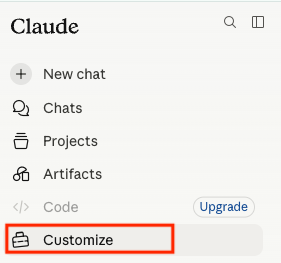

Name it and paste the endpoint
Name the connector DataHawk and paste the endpoint:
https://mcp.datahawk.co/mcp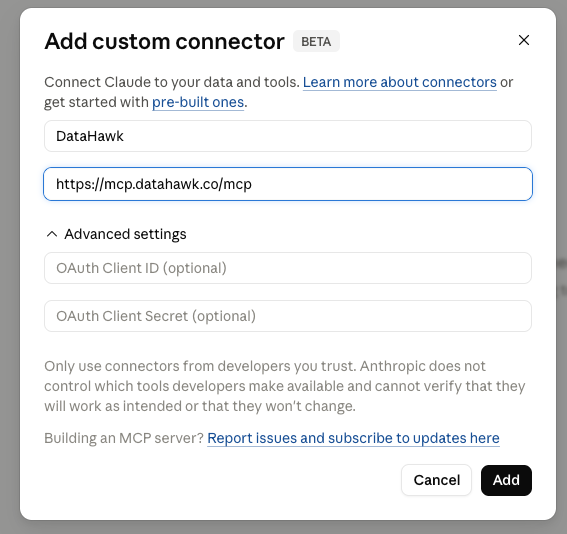
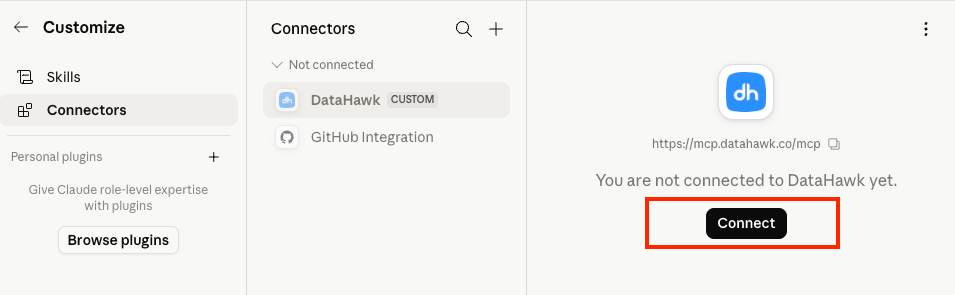
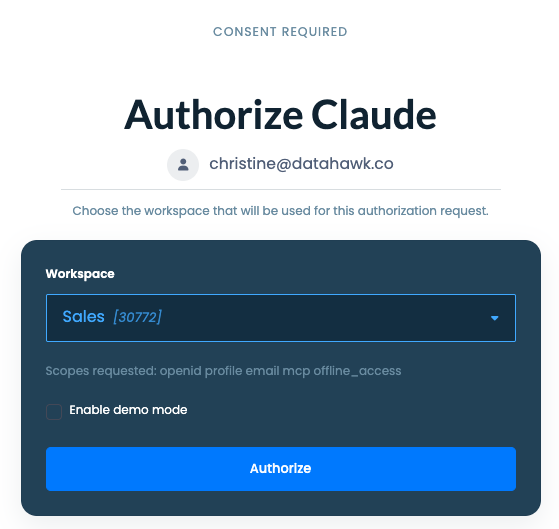
Approve the permissions
Approve the permissions screen. DataHawk now shows in your connectors list with a green status.
For more detail, see OpenAI's apps in ChatGPT guide.
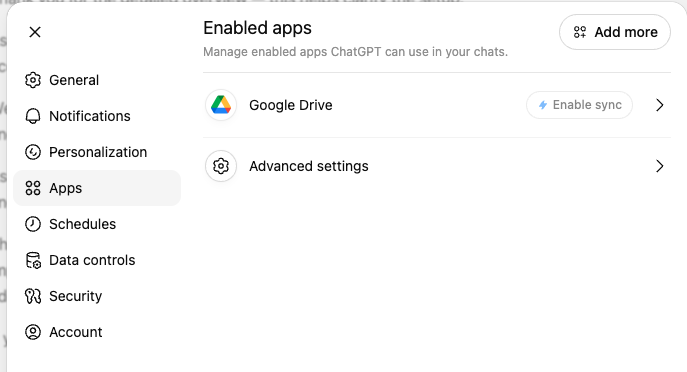
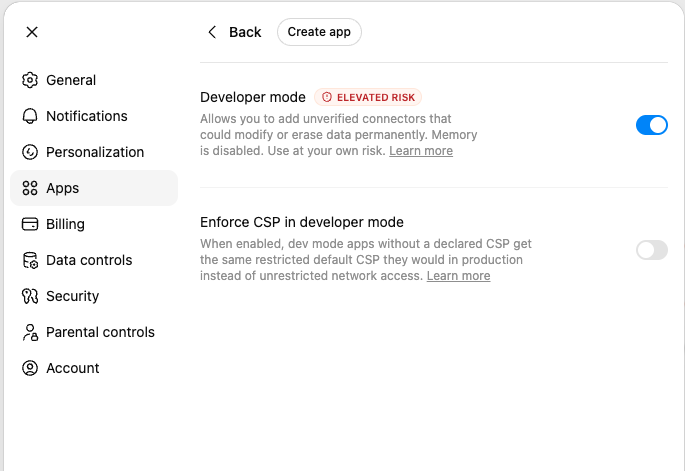
Open the Apps settings
In ChatGPT, click your profile, then Settings → Apps.
Create the app
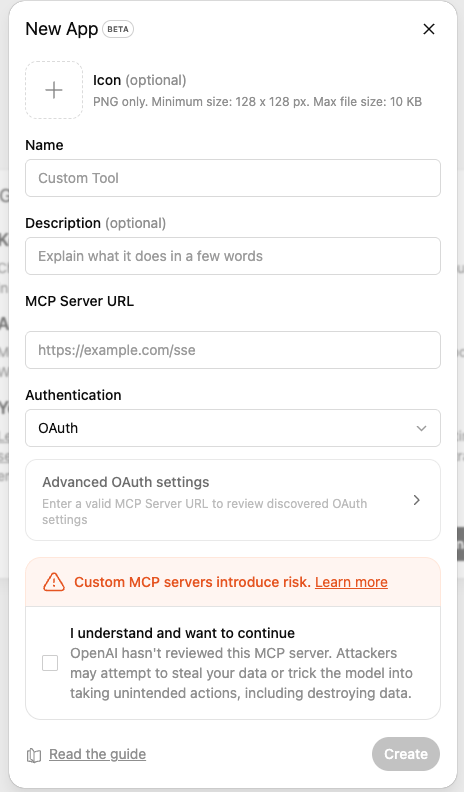
Click Create app and fill in the form:
- Name:
DataHawk - MCP Server URL:
https://mcp.datahawk.co/mcp
Confirm
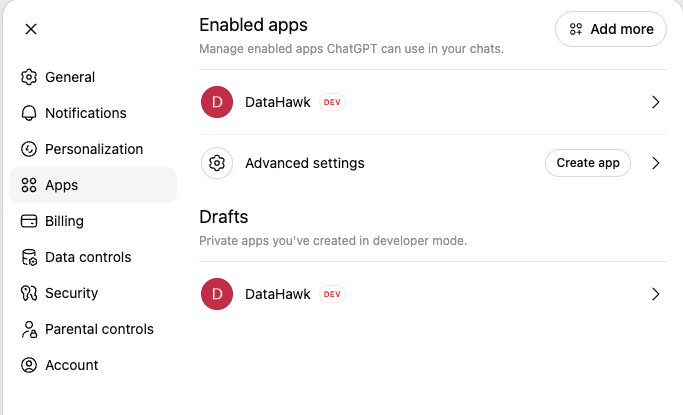
Tick I understand and want to continue, then click Create. Sign in with your DataHawk account when asked.
Build with your data
For code editors and AI app builders, follow the tool's own MCP guide and use the DataHawk endpoint: https://mcp.datahawk.co/mcp.
Automate with your data
For workflow tools, follow the tool's own MCP guide and use the DataHawk endpoint: https://mcp.datahawk.co/mcp.
Follow n8n's MCP guide.
Follow Make's connection guide.
Once you're connected
Introduction
Connect Claude, ChatGPT, n8n, Make, or any AI assistant directly to your Amazon and Walmart data using the Model Context Protocol.
How to write effective MCP prompts
How to phrase DataHawk MCP prompts so you get the right answer the first time. Covers anatomy, domain vocabulary, patterns, and iteration tips.